Explore three ChatGPT conversations tested by this guide and five examples published by OpenAI. We label each source clearly, so you can tell recorded results, independent website demos and official previews apart.
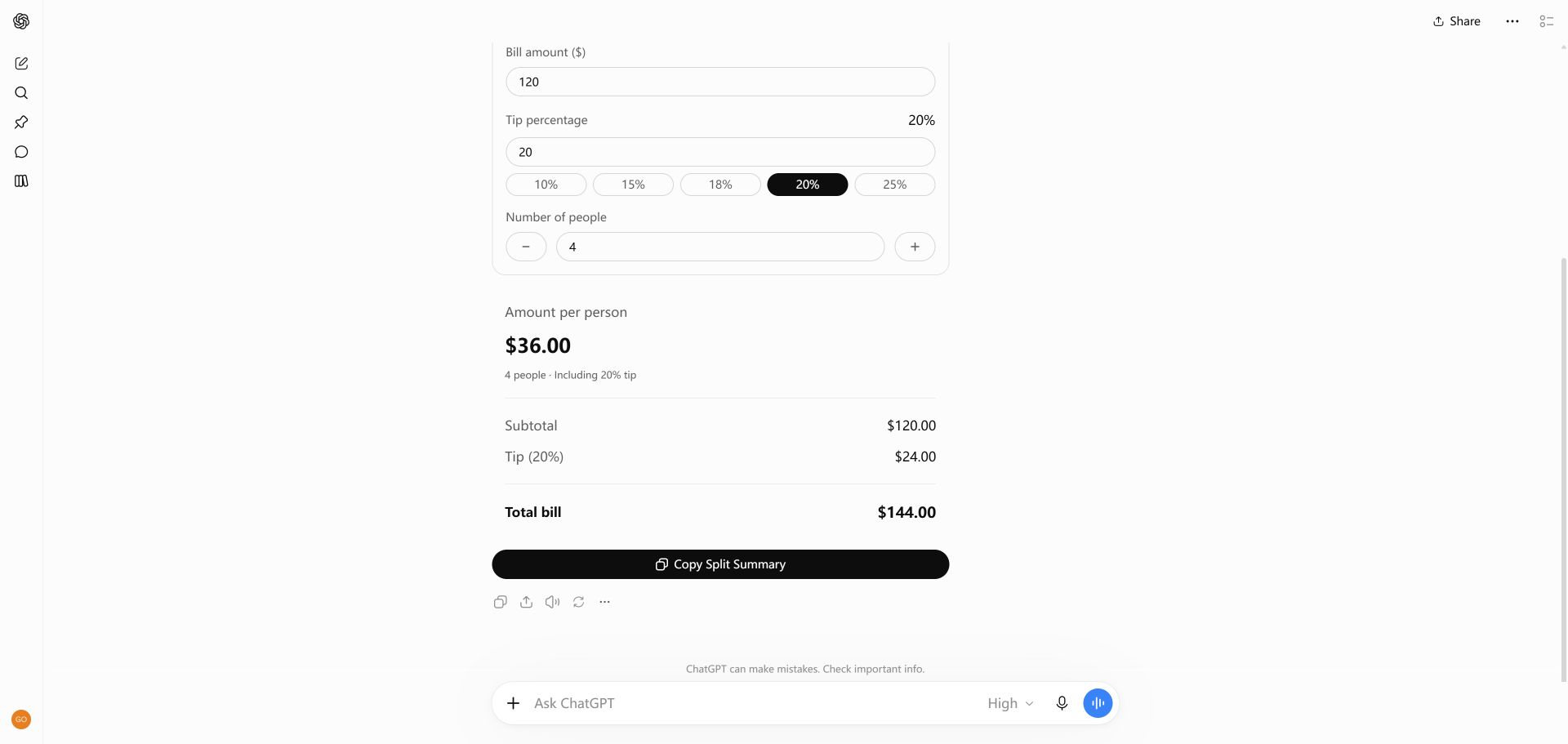
1. Interactive bill splitter and tip calculator
Change the bill, tip or group size. The share updates without another prompt.
Independent website demo · USD · Equal split · Each share rounded to cents
Actual ChatGPT capture · October 8, 2026 · $120 bill, 18% tip, four people · View full-size screenshot
Create an interactive bill splitter I can use directly in this conversation, using Intelligent UI rather than a code block or Canvas. Use English for every label and all explanations. Start with a $120 dinner bill, 18% tip, and 4 people. Let me change the bill, tip percentage, and number of people, and show the total and amount per person updating live. Keep the explanation brief.
Try changing the group size for your own dinner. Check the total and the per-person share independently.
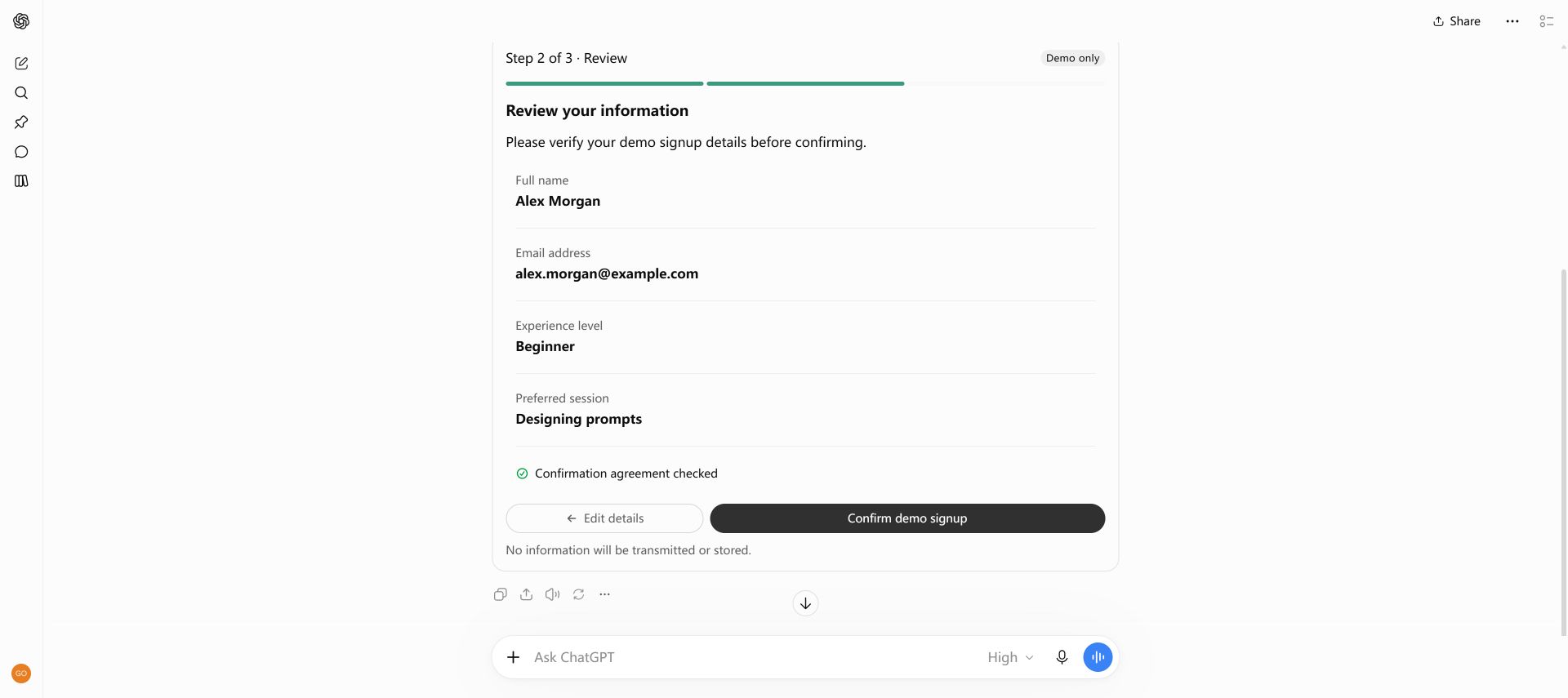
2. Workshop signup form with validation
Required fields lead to a summary you can check before finishing the demo.
Create an interactive workshop signup form directly in this conversation using Intelligent UI, with all text in English. Include name, email, experience level (Beginner, Intermediate, Advanced), preferred session (Designing prompts, Building interactive tools), and a checkbox for agreeing to receive this workshop confirmation. Show clear required-field and email validation, a review step, and a success state. This is a demo only: do not send or store data, do not subscribe anyone, and use synthetic sample information. Do not provide source code or open Canvas.
Adapt the session names for a fictional event. Test a missing required field before completing the flow.
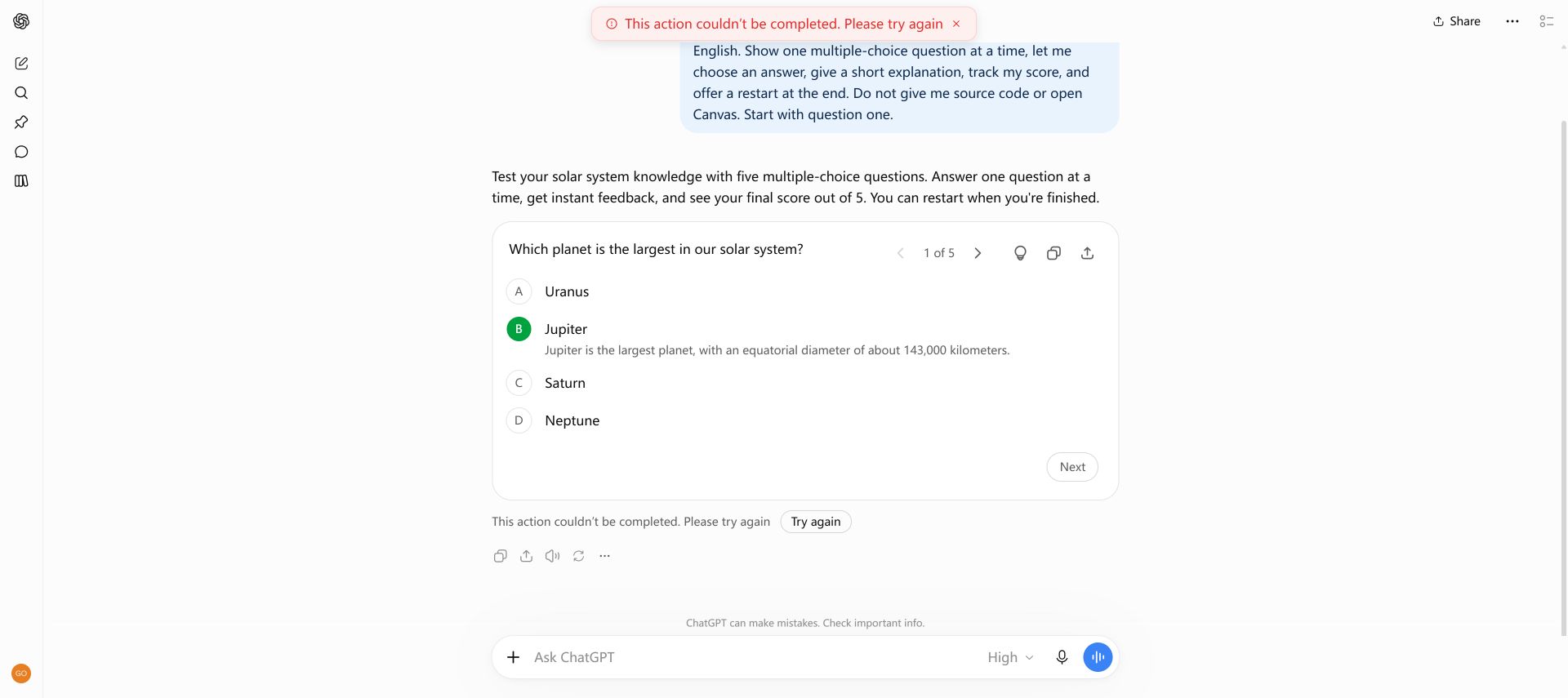
3. Solar system quiz with answer feedback
One question at a time, immediate feedback and a score at the end.
Build an interactive five-question quiz about the solar system that I can answer directly in this chat using Intelligent UI. Use only English. Show one multiple-choice question at a time, let me choose an answer, give a short explanation, track my score, and offer a restart at the end. Do not give me source code or open Canvas. Start with question one.
Choose another learning topic and audience level. Verify the answer key before sharing a generated quiz.
Look for the behavior, not just the layout.
We tested these three prompts in ChatGPT. Our website demos reproduce the interaction pattern independently; they are not live ChatGPT embeds. The quiz conversation briefly displayed an action error, so check generated controls as carefully as generated text.
OpenAI’s launch materials show the examples below. The official demo previews and video posters come from OpenAI; they are not additional ChatGPT conversations tested by this guide.
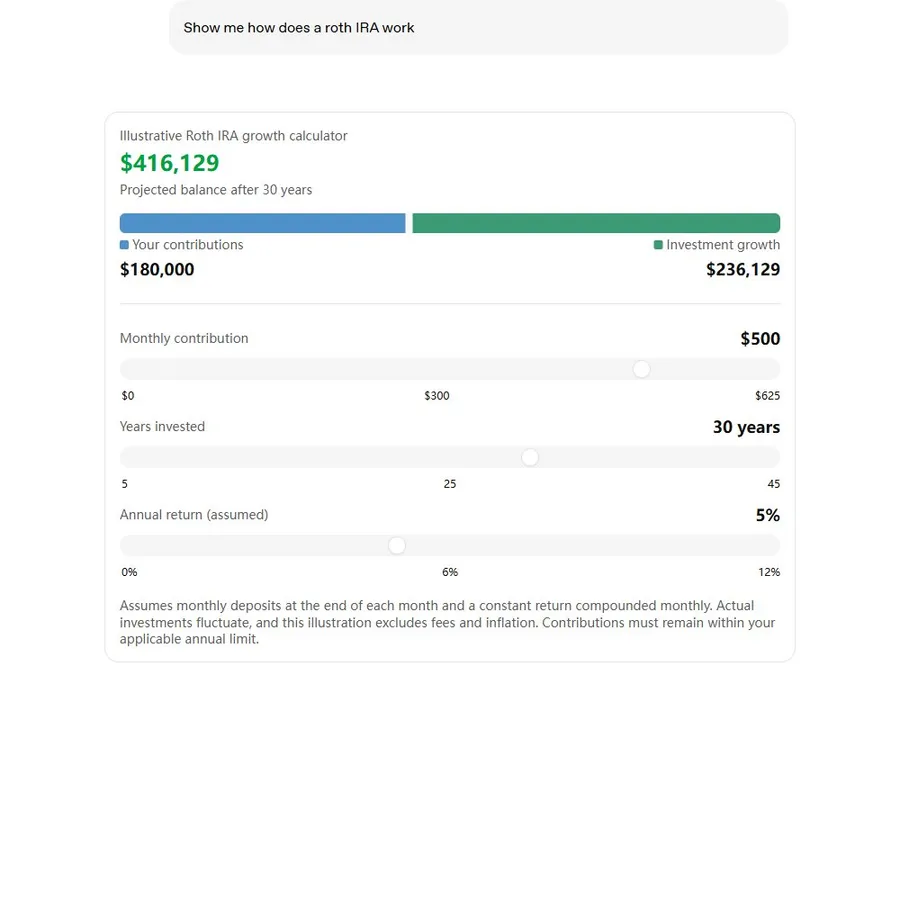
4. Retirement savings calculator
Explore an illustrative savings projection by changing its assumptions. Review the inputs and assumptions before interpreting a result.
The education guide includes the official poster and a suggested teaching recipe.
Frequently asked questions
Which of these Intelligent UI examples were tested in ChatGPT?
The bill splitter, workshop form and solar system quiz are the three conversations tested and recorded by this guide. The five additional items are examples published by OpenAI, shown with their official demo previews or video posters.
Are the website demos live ChatGPT conversations?
No. The bill splitter, form and quiz on this site are independent demonstrations. Their screenshots show separate ChatGPT conversations. OpenAI’s published demos are labelled separately and can be opened from their original source.
Will my ChatGPT answer look exactly like an example?
No. The task, account access, available settings and product updates can change the response. A prompt expresses what you want but does not guarantee an identical layout or behavior.