What Is Intelligent UI?
Intelligent UI is OpenAI’s GPT-6 capability for composing ChatGPT responses with text, visuals and controls you can use in the conversation.
Instead of reading a formula and sending another message for every change, you might adjust a calculator input and inspect a new result. Instead of receiving a long explanation, you might explore a diagram or work through a quiz.
This guide covers the feature announced by OpenAI on October 7, 2026. The broader term “intelligent user interface” also describes a longstanding field of AI-assisted interface research; it is not limited to ChatGPT.
How Does Intelligent UI Work?
OpenAI describes a component library and a compiler that assemble an interface while GPT-6 generates an answer. The model chooses how to organize the response, and the interface can appear progressively rather than waiting for the entire answer.
The useful distinction is between the model, which decides what to communicate, and the response interface, which gives you a way to explore it. A button might change the view, a slider might change an input, and a diagram might expose a relationship.
That does not mean every answer becomes an app. The official feature guide says ChatGPT still chooses a simple text answer when that is the best fit.
What Can Intelligent UI Do?
Calculate and compare scenarios
OpenAI’s retirement savings demonstration shows how changing assumptions changes an illustrative projection. Bill splitting is another published example: assign shared items, then review each person’s share.
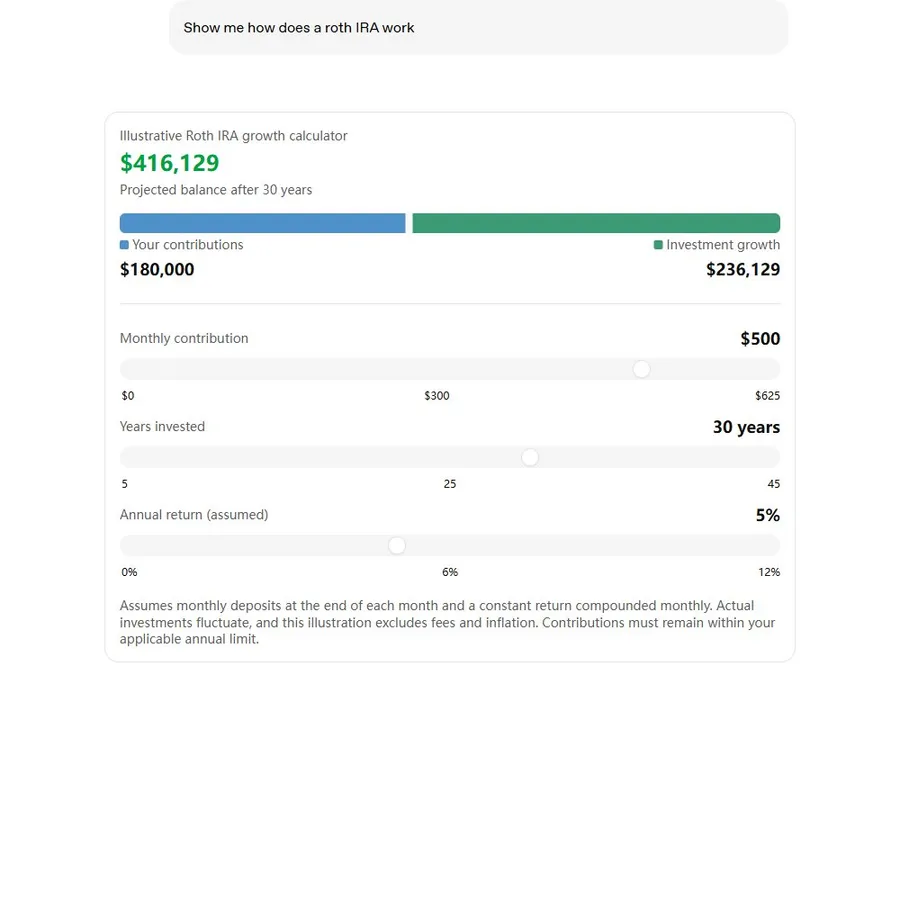
The preview is an official published example, not a live ChatGPT conversation. Loading connects to OpenAI’s CDN.
Explain a concept visually
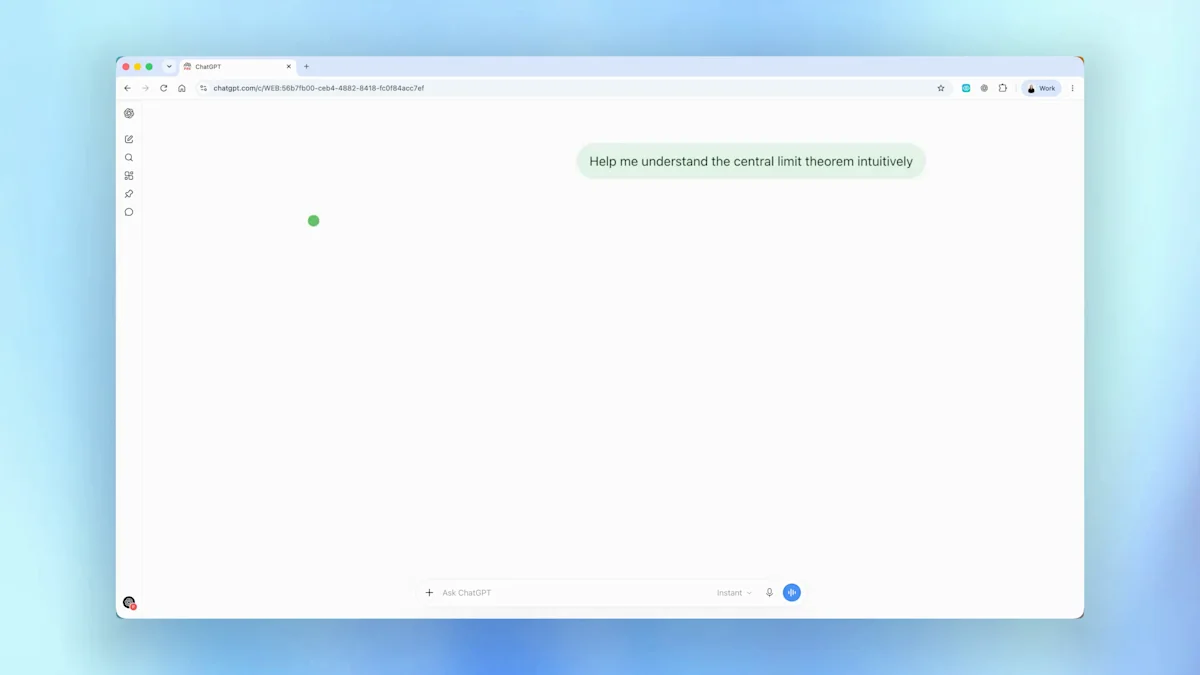
The launch page demonstrates the central limit theorem, GDP and the Monty Hall problem. These examples make visual explanation a starting point for questions and experimentation.
Use forms, charts, buttons and games
OpenAI describes interactive controls and forms as part of the feature, and publishes a playable retro arcade. For practical starting points, see our chart recipes, form prototype guide and game prompts.
How to Use Intelligent UI in ChatGPT
- Open ChatGPT and use Chat. Check your account’s current feature availability.
- Use a supported reasoning setting. OpenAI lists Instant through Extra High; Pro reasoning is excluded.
- Describe a task that benefits from interaction. Name the input you want to change and the result you want to see.
- Use the controls and check the result. Refine the prompt if the interface does not fit your task.
Suggested starting prompt:
Create an interactive bill splitter directly in this ChatGPT conversation. Start with a $120 bill, an 18% tip and four people. Let me change those inputs and show the updated total and amount per person. Use English labels.
This is our suggested recipe, not an official prompt transcript. Our tested walkthrough includes the exact prompt and screenshots from a separate ChatGPT conversation.
What Is the Difference Between Intelligent UI and GPT-5?
GPT-5 names an earlier model generation. Intelligent UI names a response capability introduced with GPT-6 in ChatGPT. Comparing them as two competing products mixes the model with the interface it produces.
| Question | GPT-5 | Intelligent UI with GPT-6 |
|---|---|---|
| What does the name describe? | A model generation. | A capability of the ChatGPT response experience. |
| What changes for the reader? | The answer depends on the model, tools and ChatGPT features available. | A response can arrange text, visuals and usable controls around the task. |
| Are charts entirely new? | ChatGPT already had chart and data-analysis features. | The launch emphasizes task-specific interactive answers, beyond a single chart format. |
The launch article compares some GPT-6 behavior with GPT-5.6; it is not a universal benchmark against every GPT-5 model. Earlier ChatGPT data-analysis charts should also be distinguished from the new interface capability.
Frequently asked questions
What is Intelligent UI in ChatGPT?
Intelligent UI is the GPT-6 capability that combines a written answer with visuals and interactive controls directly in a ChatGPT conversation.
Is Intelligent UI a separate app or plugin?
It is a capability in ChatGPT’s Chat experience. You do not need to install a separate Intelligent UI app to ask for an interactive answer.
Is Intelligent UI available on the free plan?
OpenAI announced rollout to Free and Go starting October 8, 2026, following paid-plan rollout on October 7. Access can depend on rollout progress and account or workspace settings.
Which reasoning settings support Intelligent UI?
OpenAI lists Instant through Extra High as supported. The Pro reasoning option uses GPT-6 Astra and does not support Intelligent UI.
Can I use Intelligent UI in Work or Voice?
OpenAI’s help page says Intelligent UI is available in Chat, not Work or Voice.
Does every prompt produce an interactive widget?
No. ChatGPT selects a format for the question and may use plain text. Naming the inputs, controls and expected result helps communicate the interaction you want.
Can I turn visual answers down?
On the web, OpenAI documents Personalization → Layout and Visuals → Simple. This reduces visual and interactive elements, although some may still appear.
Will my inputs and progress be saved?
Persistence depends on the experience. OpenAI says some components can retain state within the same thread after a refresh, but state is not retained across chat threads.
Official sources
Keep exploring
- Follow the Intelligent UI tutorial
- Explore features and the update log
- Compare three tested and five official examples
- Troubleshoot Intelligent UI access and rendering
- Copy tested prompts for interactive tasks