Charts & Graphs
Charts help reveal comparisons, trends and relationships. OpenAI describes charts as part of Intelligent UI; its launch demonstrations also include visual explanations of GDP and probability.
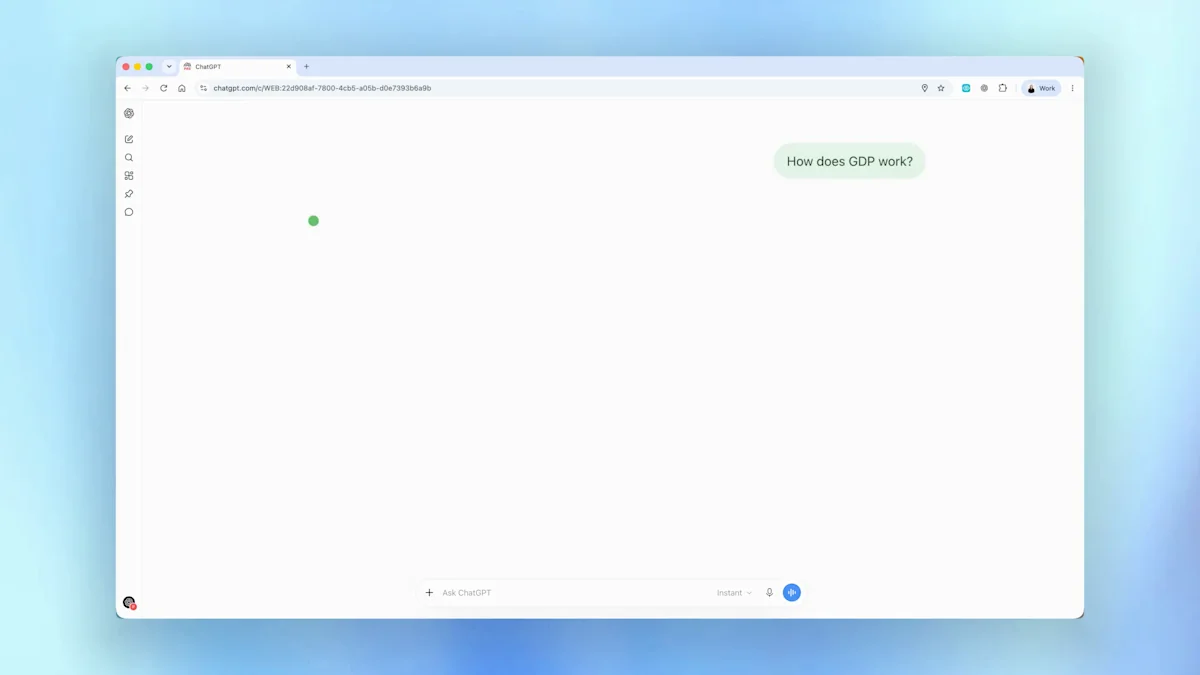
Use this for a small dataset whose labels and units you can verify. Suggested prompt:
Compare these fictional weekly order totals in a labelled bar chart: Monday 12, Tuesday 18, Wednesday 15, Thursday 21, Friday 24. Use interactive controls if supported and include the underlying values so I can check the chart.
Our Intelligent UI charts guide separates documented interactive formats from other chart recipes.
Calculators
The launch includes a retirement savings calculator and a bill splitter. Calculators let you explore “what if” questions by changing inputs rather than rewriting the request each time.
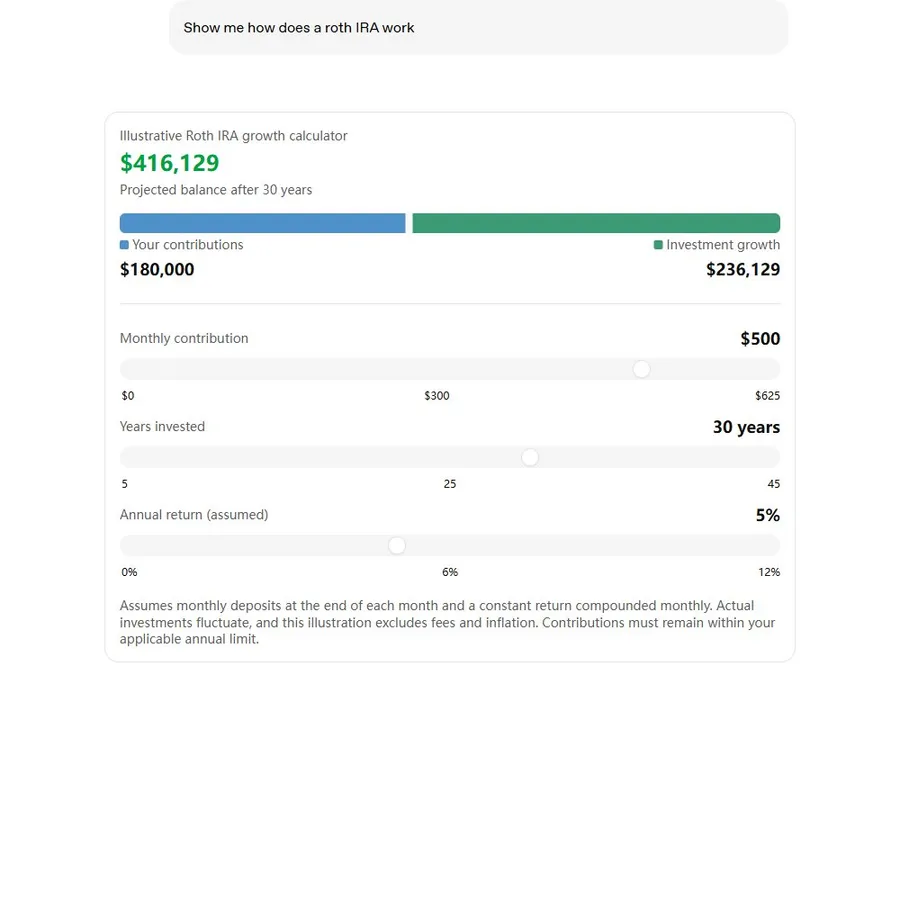
The preview is an official published example, not a live ChatGPT conversation. Loading connects to OpenAI’s CDN.
Suggested recipe for an adjustable calculator:
Build an interactive savings calculator in this chat. Let me change monthly deposits, years and an assumed annual return. Show contributions and projected growth separately, and explain the compounding assumptions.
Start with the official retirement example or itemized bill splitter.
Forms & Surveys
OpenAI’s help page includes forms in its response capabilities. A form can make a short sequence of inputs easier to complete and review. A production survey also needs storage and submission behavior that a visual prototype alone does not establish.
Create a feedback form prototype directly in this chat. Include a 1-to-5 rating, an optional comment and a review step. Use fictional data and do not submit anything externally. Show clear labels and explain what happens when I finish.
This is a suggested survey adaptation. Our workshop form guide has a separately tested signup recipe and real screenshots.
Maps for Planning
The launch article describes a road-trip plan with stops on a map and notes about worthwhile detours. That supports map-based planning as a demonstrated use case; it does not promise every possible map interaction.
Plan a day visiting three public landmarks in Paris. Show the stops on a map if that format is available, list the addresses and explain the order. If a map cannot render, provide a clear itinerary and map links instead. Verify current opening information before recommending a visit.
Check locations and current travel details before relying on a generated plan. A draggable, live-navigation map is not guaranteed.
Games & Gamification
OpenAI’s retro arcade demonstration offers Snake, Breakout and Pong. Games add a loop of choice, response and progress rather than just a description of rules.
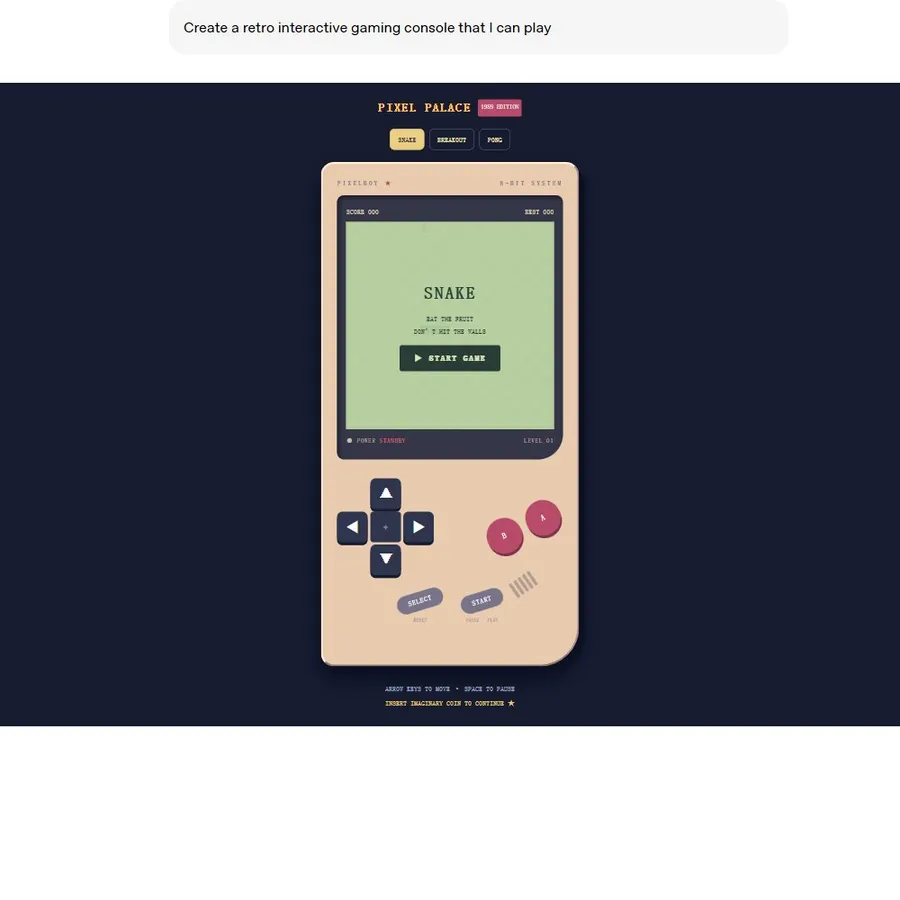
The preview is an official published example, not a live ChatGPT conversation. Loading connects to OpenAI’s CDN.
Create a simple interactive memory game in this conversation. Show six matching pairs, let me reveal two cards per turn and track moves. Include clear rules and a restart control. If that interface is unavailable, suggest a playable chat version.
Find ten suggested starting points in the Intelligent UI games guide.
Interactive Diagrams
The launch’s central limit theorem and Monty Hall examples focus on understanding a relationship. Ask what can change and what should remain fixed, then use the visualization to discuss the result.
Explain the Monty Hall problem with an interactive three-door demonstration if supported. Show the rules, let me choose stay or switch, and explain why the host’s behavior matters. Keep a text explanation alongside the visual.
For classroom use, see the education guide. All recipes on this page are editorial suggestions, not official prompt transcripts.
Intelligent UI Update Log
October 7, 2026: GPT-6 and Intelligent UI announced
The official release notes announced the global rollout beginning for Plus, Pro, Business and Enterprise in Chat. Enterprise access depends on admin settings. The notes also describe answers beginning while reasoning continues.
October 8, 2026: Free and Go rollout scheduled to begin
The same release entry says rollout expands to Free and Go starting October 8. This is a rollout date, not confirmation that every individual account has access.
Scope of this log
Sources were reviewed on October 8, 2026. No later updates are claimed here. For current availability, consult the linked official notes and your account.
Frequently asked questions
Is this an exhaustive list of native Intelligent UI components?
No. It groups capabilities and demonstrations described in OpenAI’s launch and help materials. It is not an API component catalog or a guarantee that each prompt will return a specific widget.
Are interactive maps confirmed?
The launch article describes road-trip stops appearing on a map. It does not establish that every account can request a draggable map with a particular provider or set of controls.
Are all ten chart types interactive?
No. OpenAI’s separate data-analysis documentation names bar, line, pie and scatter as supported interactive formats. Other formats may be static images; see the charts guide for that distinction.
Where should I check for future updates?
Use OpenAI’s ChatGPT release notes and Intelligent UI help page. This guide records its source review date and only lists changes supported by those materials.
Official sources
Keep exploring
- What is Intelligent UI?
- Explore the official savings calculator
- Use visual explanations for learning
- Check access and failed widgets
- See tested and official demonstrations