ChatGPT form builder:
from prompt to prototype.
Use Intelligent UI to prototype an interactive form in ChatGPT. Copy our tested workshop signup prompt, explore validation and answer review, then adapt the fields for your own task.
A workshop signup, safely simulated.
This website demo sends and stores nothing. Use a fictional name and email to try the flow.
- Fill the required fields.
- Review your answers.
- Finish or go back to edit.
This is an independent website demo, not a ChatGPT embed or a real workshop registration.
STEP 1 OF 3 · DETAILS
Workshop signup
Check your demo details before continuing.
Your demo is complete. No email was sent, no signup was created and nothing was saved.
How to create an interactive form in ChatGPT
- Start a conversation in Chat with Intelligent UI available. See the access checklist.
- Copy the signup form prompt below. It specifies fields, validation, review and a simulated completion.
- Try fictional details, a blank required field and an invalid email. Check the feedback you receive.
- Review your answers, go back to edit, and finish the demo. Confirm that the summary matches your inputs.
Copy the tested signup form prompt
Create an interactive workshop signup form directly in this conversation using Intelligent UI, with all text in English. Include name, email, experience level (Beginner, Intermediate, Advanced), preferred session (Designing prompts, Building interactive tools), and a checkbox for agreeing to receive this workshop confirmation. Show clear required-field and email validation, a review step, and a success state. This is a demo only: do not send or store data, do not subscribe anyone, and use synthetic sample information. Do not provide source code or open Canvas.
Our ChatGPT test used synthetic Alex Morgan details. We verified required agreement feedback, review, success and reset. Browser-native email validation used the browser’s language; that bubble was excluded from the English screenshots.
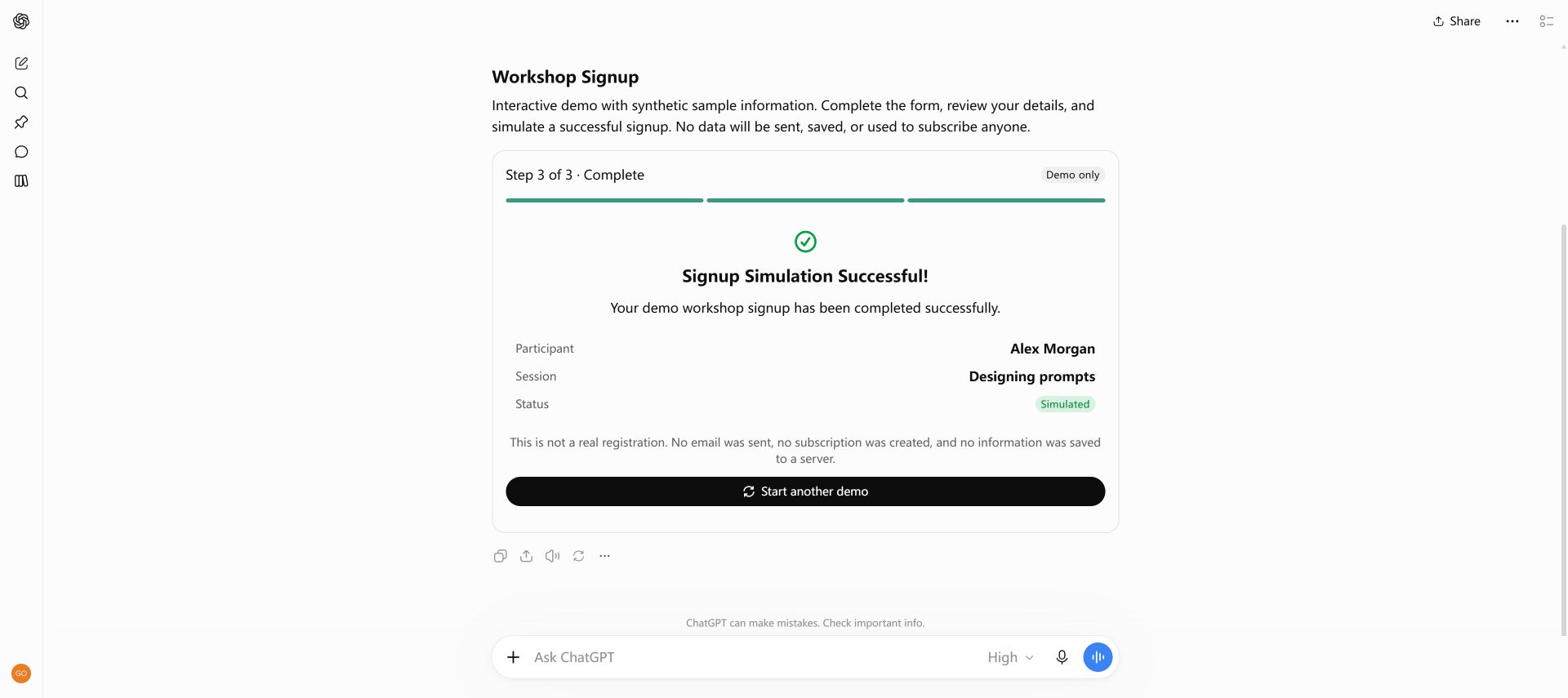
The prompt’s request not to store data refers to the demo action. Normal ChatGPT conversation retention still applies.
Adapt the form for surveys and feedback
For a survey prototype, replace the workshop fields with multiple-choice questions and a short comment. For a feedback form, request a rating, an optional explanation and a review step. These are suggested adaptations; the workshop signup is the form we tested and captured.
Compare forms with the other Intelligent UI features, and use the loading and device troubleshooting guide if the generated controls fail.
When should you use a dedicated form builder?
A ChatGPT prototype helps you explore field wording, required inputs and the review flow in a conversation. Our example does not provide a public signup link, a response database, email delivery or integrations. If you need those capabilities, choose and verify a production form service or implement them separately.
Explore more Intelligent UI examples and copy-paste prompts, or read what Intelligent UI does in ChatGPT.
Frequently asked questions
Can this form collect real registrations?
This example is a simulation. The website demo sends and stores nothing, and the tested ChatGPT prompt asks for the same demo behavior. A working form interface alone does not establish a registration service.
Can I create a quiz instead of a signup form?
Yes. The interactive quiz example covers one-question-at-a-time answers, explanations and scoring. It includes a separate tested prompt.
What should I do if ChatGPT returns code?
Ask for controls usable in the conversation, then check feature availability. Follow the tutorial troubleshooting steps before changing the form fields.